How to play an icebreaker game on Microsoft Teams
You can be playing in about two minutes. This guide uses HEX CHAIN, our free hexagon quiz. The same steps work on Zoom and Google Meet.
-
Open the game and press Start
Go to HEX CHAIN. This is your host screen. Type your two team names, or leave everything as it is, and press Start game.
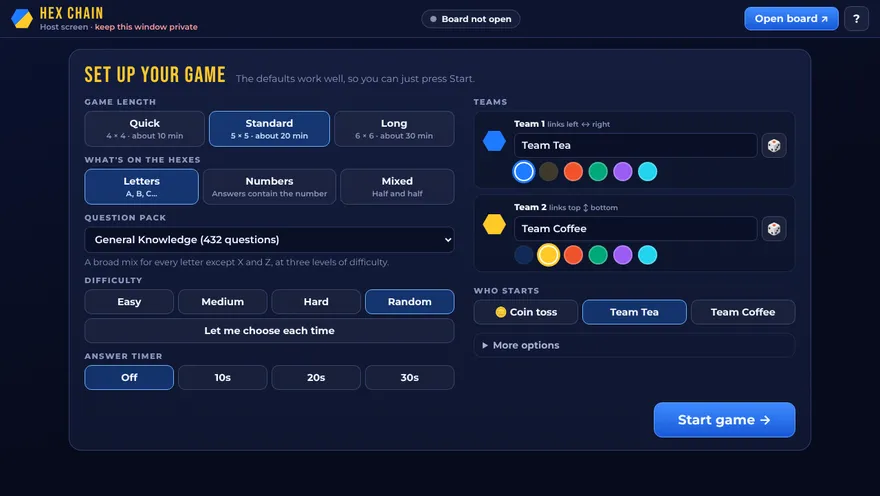
The setup screen. The defaults are fine for a first game. -
Open the board
Press Open board at the top of the host screen. The contestant board opens in a new window. Click once anywhere on it so it can play sound.
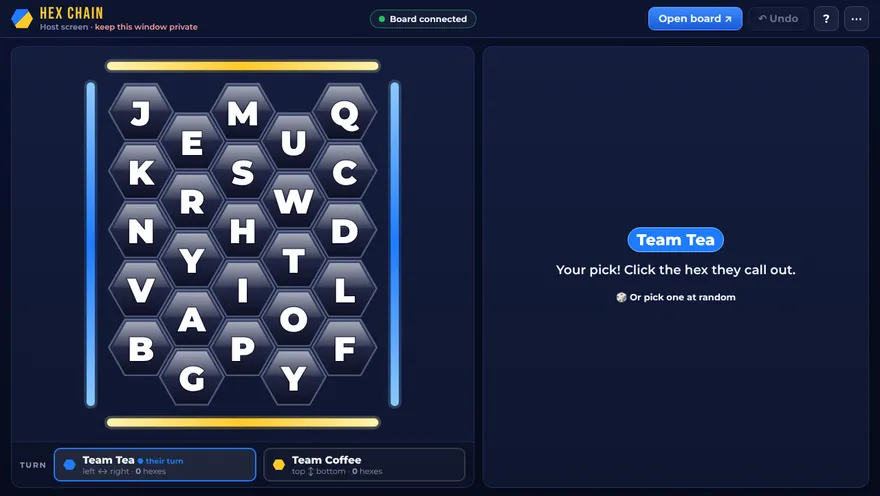
The host screen. Keep this one to yourself: it shows the answers. -
Share the board window in your meeting
In Microsoft Teams, press Share, choose Window, and pick the window called “HEX CHAIN: Contestant board”. Switch on Include sound if you want the sound effects.
Share the window, not your whole screen. That way nobody can see your host screen.
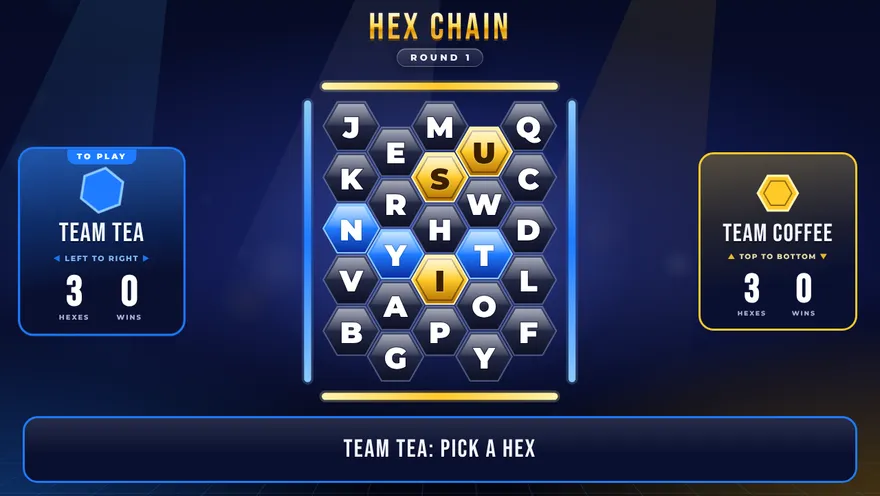
This is what your players see. -
Split into two teams
The simplest way is by surname, by office, or cameras-on-the-left against cameras-on-the-right. One team links the board left to right, the other top to bottom.
-
Play
The team whose turn it is calls out a hex. Click it on your host screen and read the question aloud. Then press Correct or Incorrect. The board updates for everyone straight away.
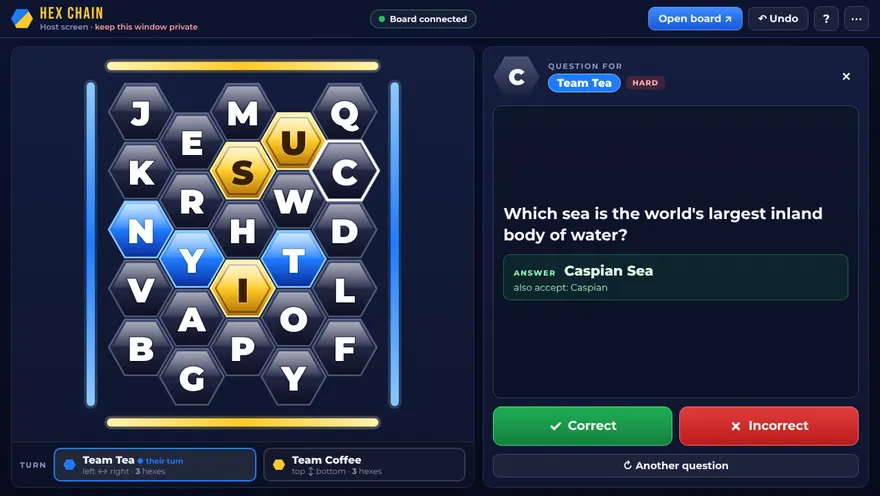
You see the question and the answer. Players see only the question. -
Crown the winners
The first team to link an unbroken chain across the board wins, with confetti. Press Play again for another round with a fresh board.
Tips for a smooth game
- Two screens help. Put the board on one and your host screen on the other. With one screen, keep both windows open and switch between them.
- Pick Quick for a first go. A 4 × 4 board takes about ten minutes.
- Made a mistake? Press Undo at the top of the host screen.
- Nominate a captain for each team to give the final answer. It keeps things moving.
Common questions
Do the players need to install or open anything?
No. Only the host opens the website. Everyone else watches the window the host shares and calls out answers.
Why must the board be opened from the host screen?
The host screen and the board talk to each other inside your browser, so they need to be in the same browser on the same computer. Open the board with the “Open board” button and they stay in step.
Can the players see the answers?
No. Answers only appear on the host screen, which you keep to yourself. Share the board window only, not your whole screen.
There is no sound in the call. What should I check?
Click once on the board window so your browser allows sound. Then, when you start sharing, switch on the option to include computer sound.
Does it work on Zoom and Google Meet?
Yes. Share the board window in the same way. In Google Meet, share a window or a tab. In Zoom, pick the board window and tick “Share sound”.
What if I refresh the page by accident?
Nothing is lost. The game is saved in your browser and carries on where it was.
How many people can play?
Any number. Split the call into two teams. Six to twenty people works well.